YOUR PSAT/NMSQT STUDY COMPANION
Best Calculator for the PSAT: Bluebook and 5 Handheld Options
Some links below are affiliate links. We may earn a commission if you buy through them, at no extra cost to you.
Some links below are affiliate links. We may earn a commission if you buy through them, at no extra cost to you.
The best PSAT calculator is one you can use confidently. Start with the Desmos calculator built into Bluebook before buying a handheld. It offers scientific and graphing options throughout Math. If your class already uses a suitable handheld, familiarity can be a better reason to keep it than a longer feature list is to replace it.
This guide compares five handheld options by classroom fit and practical tradeoffs. These are specification-based comparisons, not a ranking from hands-on testing. Prices and seller availability change.
Which calculators are allowed on the PSAT?
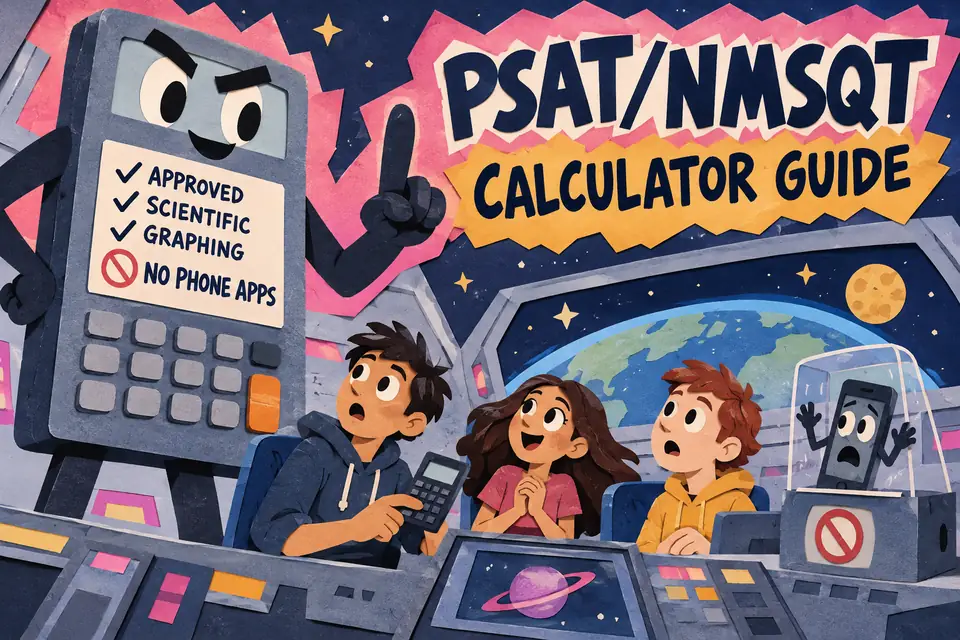
College Board permits non-CAS graphing and scientific calculators, subject to its restrictions. CAS calculators are prohibited. The TI-Nspire CX II and TI-Nspire CX II CAS are different models: the CAS version is prohibited. College Board no longer maintains a complete permitted-model list.
Remove all stored documents and any programs with algebra functionality, turn sound off, and bring a working battery-powered device. Phone calculator apps and devices with wireless connectivity are prohibited. Check the current College Board calculator policy before test day; another exam’s rules do not establish PSAT eligibility.
Choose by how you already study
Already comfortable with Bluebook? Practice with its embedded calculator first. You do not need to purchase a separate graphing calculator just to have graphing available during the test.
Already use a handheld in class? Check its exact model and settings against the current policy. Keep using it during review so fractions, negative signs, parentheses and graph windows feel familiar.
Buying for school as well as the PSAT? Ask your teacher which model matches the course’s demonstrations. A useful classroom calculator should suit the work you will do after test day, too. Check return terms, battery needs and the exact model on the seller’s page before ordering.
Five handheld options to compare
TI-84 Plus CE: for a class that teaches with TI-84 menus
The TI-84 Plus CE has a color display, a rechargeable battery and split-screen views for graphs and tables. It is a practical candidate when you already follow TI-84 examples in class. Learn the graph window and table controls before relying on them under time pressure.
Check whether a listing is the original CE or the Python Edition; the family page describes both. Python programming is not a reason to buy a PSAT calculator. TI-84 Plus CE manufacturer details.
Check the TI-84 Plus CE listing on Amazon
TI-Nspire CX II: for students already using its interface
The non-CAS TI-Nspire CX II offers color graphing, tables, statistics and a rechargeable battery. Its document-based interface is a reason to practice with it early, especially if you are coming from a different calculator family.
Choose the non-CAS model. Do not treat the similar-looking CX II CAS as an interchangeable purchase. A seller’s menu may include multiple variants; confirm the selected model before checkout. TI-Nspire CX II and CAS specifications.
Check the non-CAS TI-Nspire CX II listing on Amazon
Casio fx-CG50 PRIZM: a color graphing option
The fx-CG50 combines a color display with graph-and-table views, tracing and zoom controls. It uses four AAA batteries. Consider it when you are comfortable with Casio’s menus or your teacher uses them.
Its additional graphing features can support classroom work, but a longer specification sheet does not establish a PSAT advantage. Focus your practice on entering expressions accurately and reading the graphs you need. Casio fx-CG50 manufacturer details.
Check the Casio fx-CG50 listing on Amazon
Casio fx-9750GIII: another graphing option to price-check
The fx-9750GIII provides graphing, tables and statistical functions and runs on four AAA batteries. Compare its current total price with the other models rather than assuming a fixed budget ranking.
If you are considering a switch from a TI model, try the menu layout first. The useful comparison is how comfortably you can perform your regular calculations, not how many functions appear on the box. Casio fx-9750GIII specifications.
Check the Casio fx-9750GIII listing on Amazon
TI-30XS MultiView: for familiar scientific calculations
The TI-30XS MultiView is a scientific calculator with a four-line display, fraction/decimal conversion and statistics. It does not plot graphs. It can suit a student who prefers a handheld for numerical work and practices graphing with Bluebook.
Compare this with the calculator you already own before buying another scientific model. If your next math course requires a handheld graphing calculator, ask your teacher about that separate classroom need. TI-30XS MultiView manufacturer details.
Check the TI-30XS MultiView listing on Amazon
A short calculator practice routine
Work a small set of math problems using the setup you plan to use on test day. For each mistake, identify whether the difficulty was the math or the calculator entry. Re-enter one expression with fractions and negative numbers, then compare a table with a graph of the same function.
For example, graph y = 2x + 3 and check that x = 4 gives y = 11. Then find where that graph meets y = 11. This connects the equation, table and graph rather than treating each as a separate button sequence. Write down the equation first so a typing error is easier to catch.
Choose one topic for review before attempting a full practice test. Keep the same calculator setup so you can focus on the math instead of learning new controls each time.

Related to This Article
More math articles
- How to Navigate the Fraction Jungle: A Guide to Adding Fractions with Unlike Denominators
- The Best Grade 3 ELA Practice Tests for Massachusetts Students
- Life Cycles and Regulation
- Grade 3 Math: Quadrilaterals
- The Best Grade 4 ELA Practice Tests for Idaho Students
- Free Grade 5 English Worksheets for Kentucky Students
- FREE DAT Quantitative Reasoning Math Practice Test
- Geometry Puzzle – Challenge 59
- FREE 3rd Grade SBAC Math Practice Test
- Tips for Preparing Students for Math Competitions










What people say about "What Is the Best Calculator for the PSAT Test?"?
No one replied yet.