Scientific Calculators for School and College: Casio vs. TI
The best scientific calculator for you is one that meets your course rules and has the functions you actually use. For fractions, algebra and everyday statistics, start by comparing the TI-30XS MultiView. For matrices, vectors and numerical calculus, compare the TI-36X Pro and Casio fx-991CW. If your course requires plotting graphs, consider a graphing calculator instead.

Affiliate disclosure: The Amazon links below are affiliate links. We may earn a commission if you buy through them, at no extra cost to you.
This is a comparison of published manufacturer specifications, not a hands-on speed, durability or battery-life test. It covers three scientific calculators and one clearly labeled graphing alternative. Prices and seller availability vary; no model is ranked as the cheapest or fastest.
Which scientific calculator fits your course?
| Model | Useful capabilities | Main distinction |
|---|---|---|
| Casio fx-991CW | Matrices, vectors, equation calculations and statistics | Non-graphing; icon and catalog menus |
| TI-36X Pro | Solvers, matrices, vectors and numerical derivatives/integrals | Non-graphing; four-line display |
| TI-30XS MultiView | Fractions, function tables and one-/two-variable statistics | Non-graphing; four-line display |
| Casio fx-9750GIII | Graph plotting, spreadsheets and programming | Graphing model; four AAA batteries |
Before spending: check your teacher’s required model or function list. If you already own a permitted calculator that meets those requirements, practicing with it may be more useful than buying a replacement. For school or college work, match graphing, solver and programming permissions to the actual course; an exam allowance does not establish classroom permission.
Casio fx-991CW: advanced functions in a non-graphing model
The fx-991CW combines a high-resolution textbook-style display with icon and catalog menus. Casio lists matrix and vector calculations, simultaneous and polynomial equations, numerical tables, statistics and a spreadsheet. It uses solar and battery power.
Consider it when: your course needs those functions but does not require graph plotting. Check first: it is non-programmable and non-graphing. Try the menu workflow in the manufacturer’s manual before switching from a calculator you already know.
Manufacturer specifications · Check Casio fx-991CW listing on Amazon

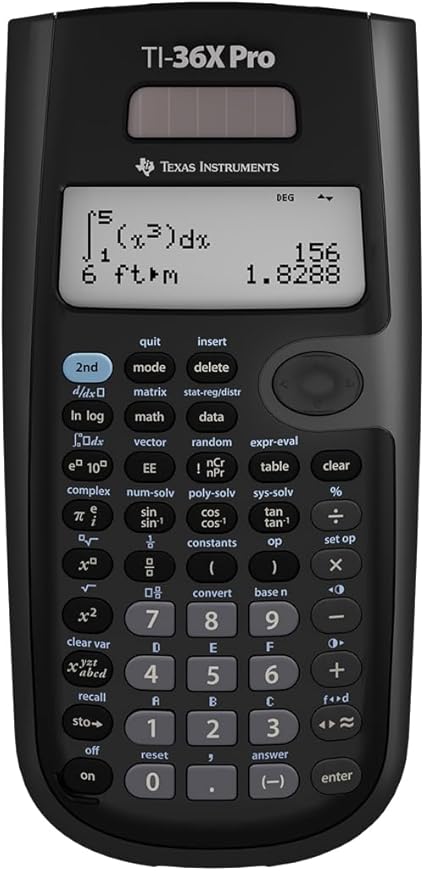
TI-36X Pro: numerical calculus, matrices and solvers
The TI-36X Pro has a four-line display, numeric equation, polynomial and linear-system solvers, matrices and vectors. It can calculate numerical derivatives and integrals of real functions. TI specifies battery power with solar assistance.
Consider it when: you need advanced numerical calculations in a non-graphing device, including for a suitable college math or engineering course. Check first: numerical calculus is different from symbolic algebra and does not make this a graphing calculator. Do not assume it is permitted everywhere a basic scientific model is allowed.
Manufacturer specifications · Check TI-36X Pro listing on Amazon
TI-30XS MultiView: fractions, algebra and statistics
The TI-30XS MultiView provides a four-line MathPrint display, fraction/decimal conversion, function tables, and one- and two-variable statistics. It uses solar and battery power.
Consider it when: your required work centers on arithmetic, fractions, algebra, trigonometry or introductory statistics rather than advanced solvers. Check first: a function-value table is not a plotted graph. Compare the TI-36X Pro or fx-991CW if your syllabus specifically requires matrix, vector or numerical-calculus functions.
Manufacturer specifications · Check TI-30XS MultiView listing on Amazon

Graphing alternative: Casio fx-9750GIII
The fx-9750GIII is a graphing calculator, so it belongs in a different category from the three scientific models above. Casio lists graph plotting, vector arithmetic, spreadsheets, CASIO Basic and MicroPython programming, and four AAA batteries. Casio states that it has no built-in CAS.
Consider it when: your class requires graphs or a graphing model. Check first: programming and stored-content rules differ by test. Follow the exam provider’s current restrictions rather than treating the manufacturer’s general exam badge as permission to use every feature.
Manufacturer specifications · Check Casio fx-9750GIII listing on Amazon

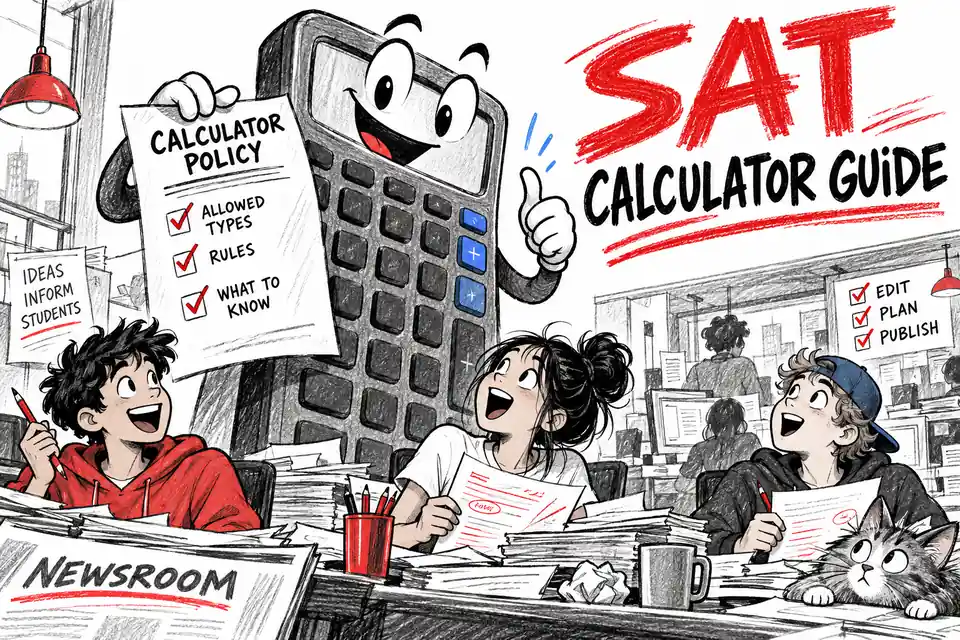
SAT, ACT and AP: check the specific calculator policy
SAT and PSAT-related assessments: College Board allows permitted non-CAS scientific and graphing calculators and provides scientific and graphing Desmos options in Bluebook. CAS calculators and symbolic-algebra programs are prohibited. Buying a new handheld is not required just to access a calculator on the digital test. Read the current SAT Suite calculator policy, including stored-program and document restrictions.
ACT: permitted four-function, scientific and graphing calculators can be used on Math, subject to the prohibited-feature list and required modifications. The online ACT provides an embedded Desmos graphing calculator. Read the current ACT calculator policy for your administration.
AP: “AP approved” is not a blanket permission. The allowed calculator type and sections depend on the subject. AP Calculus uses graphing-calculator capabilities for specified parts; a scientific calculator is not a substitute for those capabilities. Check your subject and the built-in tools in the official AP calculator policy.
A short checklist before you buy
- Confirm the exact model name and your course or exam’s current rules.
- Compare the functions your assignments need, not just a headline function count.
- Check the seller, total price, return terms and included accessories on the actual listing.
- Practice fractions, parentheses, negative numbers, scientific notation and degree/radian settings before test day.
For example, in degree mode sin(30) = 0.5. Enter (3 + 5) ÷ 2 to get 4; entering 3 + 5 ÷ 2 gives 5.5. These quick checks help you learn the mode and grouping controls without relying on a particular brand’s key sequence.
Once you have a suitable calculator, continue with free lessons and practice in our Algebra 1 Online Center, SAT Math Online Center or ACT Math Online Center.

Related to This Article
More math articles
- How to Calculate Multiplication and Division of Decimals by Powers of Ten
- Intelligent Math Puzzle – Challenge 89
- Free Grade 5 English Worksheets for Florida Students
- How to Solve the Converse of Pythagoras’ Theorem Problems?
- Full-Length 6th Grade PSSA Math Practice Test
- How to Master Polar Coordinates: A Comprehensive Guide to Calculating Rate of Change in Polar Functions
- The Endocrine System
- 3rd Grade FSA Math FREE Sample Practice Questions
- 7th Grade STAAR Math Practice Test Questions
- How to Help Your 8th Grade Student Prepare for the New Hampshire NH SAS Math Test








What people say about "5 of the Best Scientific Calculators"?
No one replied yet.