Percentile Calculator (k-th Percentile & Rank)
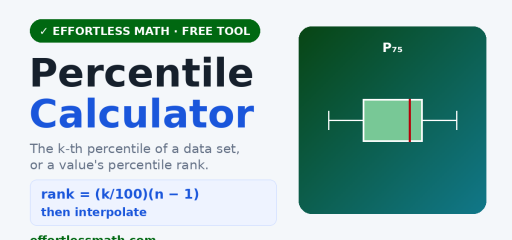
Use this free percentile calculator to find the k-th percentile of a data set, or the percentile rank of a value. It shows the sorted data, key summary statistics, and the steps.
Quick answer: A value’s percentile rank is the percent of data at or below it: PR = (number of values ≤ x ÷ total values) × 100. Example: in 12, 15, 18, 20, 22, 25, 27, 30, 34, 40, six values are at or below 25, so its percentile rank is 6 ÷ 10 × 100 = 60.
How it is calculated
For the k-th percentile, the position is rank = (k/100)(n − 1) in the sorted data, then values are interpolated. The percentile rank of a value is the percentage of data at or below it.
How to use it
- Choose the mode (percentile value, or percentile rank).
- Enter your data and the percentile k or value.
- Press Calculate.
Related: the Descriptive Statistics Calculator and more free math calculators.
Worked examples: percentile rank and kth percentile by hand
We will use this sorted data set of 10 quiz scores: 12, 15, 18, 20, 22, 25, 27, 30, 34, 40.
Example 1: Percentile rank of 25
- Count the values at or below 25: 12, 15, 18, 20, 22, 25. That is 6 values.
- Divide by the total number of values: 6 ÷ 10 = 0.6.
- Multiply by 100: the percentile rank of 25 is 60.
Some textbooks count ties as half: PR = (values below + ½ × values equal) ÷ n × 100. Here that gives (5 + 0.5) ÷ 10 × 100 = 55. Use the version your class uses.
Example 2: The 40th percentile
- Find the position with the formula used on this page: (k/100)(n − 1) = (40/100)(10 − 1) = 3.6. Positions are counted from 0, so position 0 is the first value (12).
- Position 3 is 20 and position 4 is 22. The position 3.6 lies 0.6 of the way between them.
- Interpolate: 20 + 0.6 × (22 − 20) = 20 + 1.2 = 21.2.
So the 40th percentile is 21.2. If you count positions from 1 instead, the same formula becomes (k/100)(n − 1) + 1 = 4.6, which points to the same spot between the 4th and 5th values.
Percentile vs percentile rank
| Percentile (kth percentile) | Percentile rank | |
|---|---|---|
| You start with | a percent k | a data value x |
| You get | a data value | a percent from 0 to 100 |
| Question it answers | Which score marks the 40th percentile? | What percent of scores are at or below 25? |
| Example answer | 21.2 | 60 |
Frequently asked questions
How do you calculate percentile rank?
Count how many values are at or below your value, divide by the total number of values, and multiply by 100. For the scores 55, 62, 70, 74, 81, 88, 90, 95, five of the eight values are at or below 81, so its percentile rank is 5 ÷ 8 × 100 = 62.5. Some classes give half credit for ties, which changes the result slightly.
How do you calculate a percentile?
Sort the data, find the position (k/100)(n − 1) counting the first value as position 0, and interpolate if the position is not a whole number. For 4, 7, 9, 12, 15, 20, the 75th percentile sits at (0.75)(5) = 3.75. Position 3 is 12 and position 4 is 15, so the 75th percentile is 12 + 0.75 × 3 = 14.25.
Does percentile mean percentage?
No. A percentage is a score out of 100, such as answering 80% of test questions correctly. A percentile compares one value with the rest of a group. Scoring at the 80th percentile means your score is at or above about 80% of the scores in the group, even if your own percent correct was 65%.
Does percentile include the value?
It depends on the definition. The common at-or-below method counts the value itself, so the largest number in a data set gets a percentile rank of 100. The below-plus-half-ties method counts only half of the equal values. For 10, 20, 30, 40, the rank of 30 is 75 with the first method and 62.5 with the second.
How do you find a percentile from the mean and standard deviation?
This works when the data are roughly normal. Find the z-score, z = (x − mean) ÷ standard deviation, then look it up in a standard normal table. For test scores with mean 70 and standard deviation 10, a score of 80 has z = 1, which is about the 84th percentile. For a raw data list, use the calculator’s percentile rank mode.
How do you calculate percentile in Excel?
Use =PERCENTILE.INC(range, k) with k as a decimal, such as 0.9 for the 90th percentile. It uses the same (n − 1) interpolation method as this calculator, so the answers should match. For a percentile rank, Excel has PERCENTRANK.INC, but it uses a slightly different counting rule, so its result can differ from the at-or-below method.
How to use the Percentile Calculator for homework
The Percentile Calculator is most useful when you treat it as a learning check, not just a shortcut to the final answer. Start by copying the original problem carefully, including signs, exponents, decimal points, fractions, parentheses, and units. Then enter the values in the same order the problem gives them. A small typing change can completely change the result, especially in algebra, statistics, geometry, and probability problems.
Before you press the button to calculate, make a quick estimate or prediction. The estimate does not need to be exact. Its job is to help you notice impossible answers. If a distance becomes negative, a probability is bigger than 1, an angle looks too large, or a decimal point seems misplaced, go back and check the input before trusting the final result.
Before you enter the problem
- Rewrite the problem in a clean line so every value is easy to see.
- Use parentheses around grouped expressions, especially in fractions and exponents.
- Keep units with the numbers while you work, even if the calculator only asks for the numbers.
- Check whether the problem wants an exact value, a decimal approximation, or a rounded answer.
- Look for restrictions such as positive values only, a chosen interval, or a required domain.
How to read the result
After the calculator gives a result, read more than the final line. If steps, tables, graphs, or intermediate values are shown, use them to understand how the answer was built. That is especially important when you are studying for a quiz or test, because teachers often give more credit for a correct process than for an unsupported number.
Try to identify the main idea behind the result. For example, ask yourself which formula was used, which operation changed the expression, which value controlled the graph, or which assumption made the answer possible. When you can explain that idea in your own words, the tool has helped you learn the skill instead of only checking one problem.
Common mistakes to avoid
| Mistake | How to catch it |
|---|---|
| Typing the wrong sign | Compare each negative sign, subtraction symbol, and exponent with the original problem. |
| Rounding too early | Keep extra decimal places until the final step, then round only as directed. |
| Forgetting parentheses | Group numerators, denominators, powers, and multi-step expressions before calculating. |
| Ignoring units | Write the unit next to the final answer so the result has meaning. |
| Trusting an unreasonable result | Use estimation, a graph, or substitution to check whether the answer makes sense. |
Turn the answer into practice
One good way to study is to solve the problem by hand first, then use the Percentile Calculator to check your work. If your answer is wrong, do not erase everything immediately. Find the first line where your work stops matching the calculator’s logic. That line is usually where the real misunderstanding happened.
- Work the problem on paper and circle your final answer.
- Use the calculator to check the result.
- If the answers match, write one sentence explaining the method.
- If they do not match, compare each step until you find the first difference.
- Redo a similar problem without the tool to make sure the correction sticks.
When to use a calculator and when to work by hand
Use the Percentile Calculator when you want to check a long calculation, explore a pattern, test a graph, or confirm a result after practicing. Work by hand when the assignment asks for steps, when you are learning a new method, or when the test will not allow a digital tool. The strongest students use both: hand work to build understanding and calculators to check accuracy.
If you are preparing for a timed test, practice some problems without the tool and some with it. That balance helps you build speed while still understanding the math. Over time, the goal is to need the calculator less often for routine steps and use it more strategically for checking, exploring, and confirming your reasoning.
Quick accuracy checklist
Before you leave the page, use the Percentile Calculator result to answer three quick questions: What was the input? What rule, formula, or method connects the input to the result? What would change if one number in the problem changed? These questions turn a single calculator answer into a reusable math skill.
For homework, write the original problem, the calculator’s result, and one short explanation of the method in your notebook. For test review, cover the result and try to reproduce the setup on your own. If you can set up a similar problem without looking back at the calculator, you are much closer to owning the skill.

Related to This Article
More math articles
- Accuplacer Math Formulas
- The Best Grade 8 ELA Practice Tests for Connecticut Students
- Claim, Reason, and Evidence
- The Best Grade 4 ELA Practice Tests for Washington Students
- Ratification of the U.S. Constitution: Nine States and Article VII
- AI Homework Helpers vs. Real Math Practice: What Actually Works in 2026
- What is a Perfect SAT Score?
- FREE 7th Grade STAAR Math Practice Test
- The Best Grade 7 Math Book for New Hampshire Students
- Lived Religion, Conversion, and Religious Identity











What people say about "Percentile Rank Calculator: Find kth Percentile and Rank"?
No one replied yet.