Layout Tools: Square, Level, Plumb, and Straight
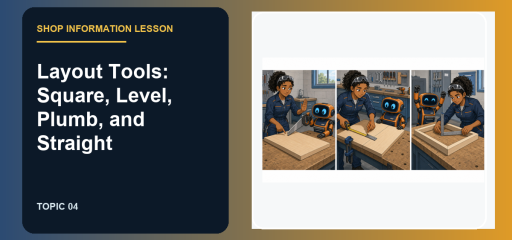
A square, a level, and a plumb bob can all look like simple tools. They answer different questions, though. That difference is exactly what close-choice tool questions are built around.
Picture the result before you name the tool. The detail a request to verify a right angle, horizontal surface, vertical line, or straight edge tells you why the next move should be to choose the layout reference that tests the stated relationship.
What does layout tools mean?
Layout tools transfer an intended line, angle, or direction onto material before cutting or fastening. A square checks a right angle, a level checks horizontal, a plumb reference checks vertical, and a straightedge checks whether an edge lies in one line.
Which clues should you notice first?
Look for the feature that would change your next move. With a request to verify a right angle, horizontal surface, vertical line, or straight edge, the question is testing function and safe use, not just whether you recognize a familiar silhouette.
- Working clue: a request to verify a right angle, horizontal surface, vertical line, or straight edge
- Best next move: choose the layout reference that tests the stated relationship
- Why it matters: the right setup protects the work, the tool, and the person using it.
How do the close choices differ?
| Tool or idea | What it does |
|---|---|
| Level | checks horizontal or level |
| Plumb reference | checks vertical |
Use the contrast as an elimination tool. If a choice behaves like Level when the task clearly calls for Plumb reference, it is close, but it is still wrong.
Put the clue into a shop decision
Imagine that a question or illustration gives you a request to verify a right angle, horizontal surface, vertical line, or straight edge. Before you look for a familiar name, say what the work actually needs: choose the layout reference that tests the stated relationship. Then test each choice against the physical result. A choice that cannot produce the needed result is out, even if it belongs to the same general family. This is also where the difference between Level and Plumb reference becomes useful. One clear reason is enough to reject a close distractor.
Watch the skill in context
Most people don't know this, how to use a speed square, the ultimate guide. by James Gatlin is a useful visual companion to this lesson. Watch for the moment when the presenter chooses a setup or control. That decision is often the exact distinction a question is testing.
Use this four-step routine
- Underline the relationship in the question.
- Look for the reference surface or line.
- Use the tool that tests that relationship.
- Mark first and cut second.
Try the decision, then check your reasoning
- You see a request to verify a right angle, horizontal surface, vertical line, or straight edge. What detail should lead your decision? The condition that changes the tool choice or safe setup is the first clue.
- What is the best response when the task calls for a request to verify a right angle, horizontal surface, vertical line, or straight edge? Choose the layout reference that tests the stated relationship.
- How is Level different from Plumb reference? Level checks horizontal or level; Plumb reference checks vertical.
- What should you do if the tool, setup, or workpiece does not match the job? Pause and correct the mismatch before applying more force.
Keep building your shop vocabulary
Use the ASVAB topic archive to move through the lessons in a practical order. Keep a short vocabulary note with the tool family on one side and its working action on the other. That is enough to make later review much faster.
Related lessons:

Related to This Article
More math articles
- Delaware DeSSA Grade 8 Math Free Worksheets: Printable Test-Prep Worksheets with Answer Keys
- FREE OAR Math Practice Test
- FREE 3rd Grade OST Math Practice Test
- Racism, Institutional Discrimination, and Privilege
- Measuring Length Change: Definite Integrals in Continuous Growth Analysis
- The Best Grade 3 ELA Practice Tests for Indiana Students
- SSAT Upper-Level Math Formulas
- How to Solve Finite Geometric Series? (+FREE Worksheet!)
- How to Solve Trigonometric Equations?
- Holds
















What people say about "Layout Tools: Square, Level, Plumb, Straight"?
No one replied yet.