NREMT EMT Options Table vs. Build List: How to Spot the Difference (2027 Prep)
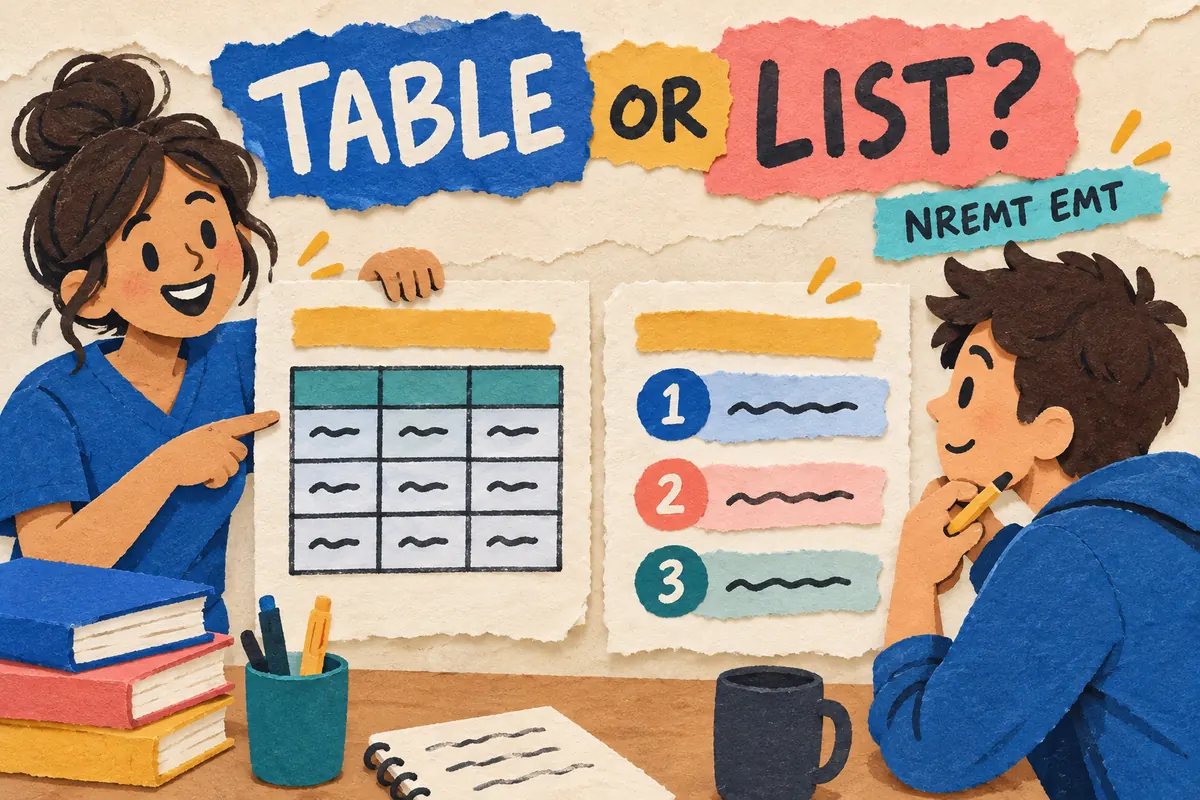
A grid appears with several choices, and the direction tells you whether to sort them into categories or arrange them in a sequence. Pause before you click.
For an options table, classify choices using the criteria shown in the table. A build list asks you to put choices in the requested order. The first response classifies each choice. The second places choices in sequence.
The National Registry’s updated EMR and EMT examination page describes three interactive item classes: Build List, Drag-and-Drop, and Option/Check Box. A build list uses an order named in the prompt. Drag-and-drop sorts choices into categories. Option/Check Box asks you to select or classify choices in a table under stated criteria. The page says the exam tutorial explains each item type, and the Help function opens it again. Keep those directions in view as you practice.
Read the action word first
Start with the verb. A build-list prompt may say order or arrange. For an options table, read the criteria and row or column labels before marking anything, since they tell you where each choice belongs. Drag-and-drop gives you named target areas, so find them before moving a choice.
| What the instruction asks | Response task | Check before you continue |
|---|---|---|
| Classify, identify, or categorize choices under criteria in a table | Option/Check Box | Review each row and confirm the mark is in the intended column |
| Arrange choices in a specified order | Build List | Compare each position with the sequence requested in the prompt |
| Sort choices into named categories or classifications | Drag-and-Drop | Check each choice against the target area named in the instruction |
Follow the directions for each practice item. The screen shape alone can mislead you.
A harmless example: sort or sequence?
Imagine four word cards: blue, blue, round, and round. An activity asks you to place each card in a “color” or “shape” column. That is classification under a stated rule. Handle the cards one by one.
Now change the instruction. Three steps appear: open the guide, read the prompt, and mark the answer. The activity asks you to arrange those steps in sequence. Place those steps in order, and notice how the same screen can ask for different tasks.
This is screen-reading practice. It covers item format, not real care guidance.
A four-part check for interactive questions
- Read the whole instruction: find the action word and any limit. When you see category names, pause to read the labels before making a selection.
- Name the task in plain words. Say “sort” or “arrange.” When unsure, read the directions once more.
- Solve the content: apply one rule to a table or settle the sequence before you move choices.
- Check what you entered: scan each row or position for blanks, extra choices, or misplaced answers.
Dragging choices can feel like building a list. Look at the target: does it name a category, or does the prompt ask for a sequence? Pause before you answer.
Use the official tutorial while you practice
The NREMT page says candidates receive a tutorial at the beginning of the exam, with item-type instructions available again through Help. Use the official EMT tutorial and examination information to learn the controls. Read each practice item’s directions too. The tutorial shows how to use the controls, while the prompt gives you the response task.
After a miss, write down both the content and the response task. A note might read, “I knew the categories, but I ordered the choices,” or, “I had the order right and left one position blank.” Name the mistake plainly. Start your next review session there.
For another overview, see Passy's NREMT EMT question-type guide. It covers several formats and response habits. This article stays with one narrow distinction and gives you a quick table for those moments when sorting and sequencing start to blur. Try the NREMT EMT practice hub for broader review.
Before you click
Ask yourself: “Am I sorting choices under criteria, arranging them in order, or placing them in named targets?” Follow the instruction, finish your response, then scan it once. Take your time.
This independent article explains exam response formats and is separate from the official Registry. It does not cover real patient care. Follow your EMT instructor and current state and local protocols.

Related to This Article
More math articles
- 5th Grade NHSAS Math Worksheets: FREE & Printable
- Free Grade 7 English Worksheets for Minnesota Students
- The Best Grade 4 Math Book for Wyoming Students
- How to Categorize Rational Numbers
- The Best Grade 3 ELA Practice Tests for Colorado Students
- Top 10 Websites to Learn About Scholarships, Federal Aid, and Student Funding
- West Virginia Algebra 1 Free Worksheets: Printable Algebra 1 Practice with Answer Keys
- FTCE Elementary Education K-6 Math Flashcards
- The Best Grade 4 Math Book for Nevada Students
- Studying Inequality Responsibly


What people say about "NREMT EMT Options Table vs. Build List: How to Spot the Difference (2027 Prep) - Effortless Math"?
No one replied yet.