Best Calculators for Business: Graphing vs Financial Options

Heads up: some of the links below are affiliate links, so we may earn a small commission if you buy through them. It never costs you anything extra.
For business statistics and graphs, compare the TI-84 Plus CE and Casio fx-CG50. For time value of money and cash-flow work, consider the BA II Plus. The HP Prime adds symbolic algebra, but it is prohibited on the SAT, PSAT-related assessments and ACT. Start with your course or exam requirements before buying.
These four options are compared using manufacturer specifications and published exam policies, rather than hands-on speed tests. There is no single best calculator for every business course.
Choose by the work you need to do
- Business statistics: Look for data lists, scatter plots and the regression or distribution functions your course uses. A graphing calculator helps you inspect a relationship instead of reading only a numerical result.
- Finance: Prioritize time-value-of-money entry, cash flows, NPV, IRR and amortization. Check whether the instructor teaches a particular model’s keystrokes.
- Economics or a certification exam: A graphing model is not automatically allowed. Read the exact exam’s rules before comparing features.
- Routine office calculations: Check whether your existing calculator or approved spreadsheet already covers the work before purchasing another device.
Four calculators to compare
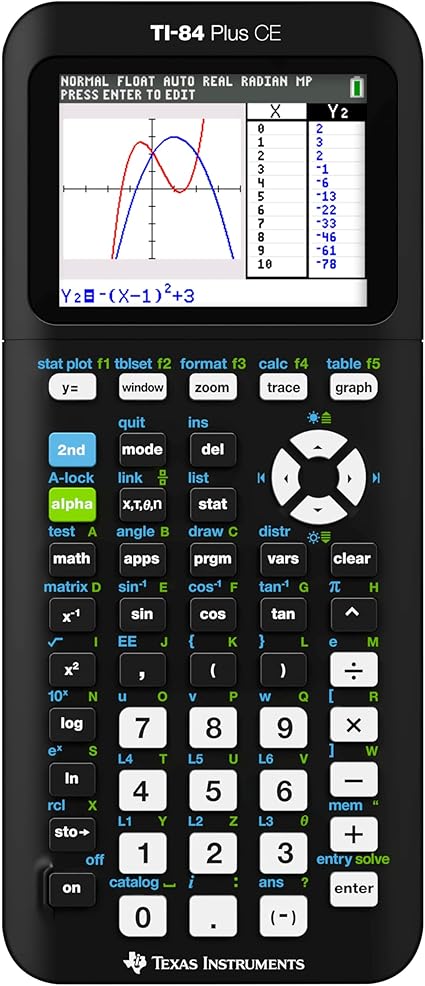
1. TI-84 Plus CE: graphing and statistics
The TI-84 Plus CE has a color display, rechargeable battery, data plots and regression functions. It also includes finance functions, so an existing owner should check those before buying a second calculator. It is a useful candidate when your instructor demonstrates on the TI-84 family.
Before choosing: It does not provide built-in symbolic algebra. Confirm the exact model and any installed programs against your exam rules; no calculator is universally approved.
2. TI BA II Plus: dedicated financial calculations
The BA II Plus provides time-value-of-money, cash-flow, NPV, IRR and amortization functions in a nongraphing device with a one-line display. It also provides mathematical and statistical functions, including logarithms and regression options.
Before choosing: Choose it for the financial workflow, not for plotting graphs. CFA Institute permits the BA II Plus, including the Professional version, alongside specified HP 12C models.

3. HP Prime: symbolic algebra when permitted
The HP Prime combines a color touchscreen with graphing, a computer algebra system (CAS) and spreadsheet applications. Consider it when a course explicitly allows those features and you need symbolic manipulation.
Before choosing: Do not buy it for the SAT, PSAT or ACT: their current policies prohibit the HP Prime. An exam mode does not make a prohibited model acceptable. Other courses and exams have their own rules.

4. Casio fx-CG50: color graphing with AAA batteries
The fx-CG50 offers color graphs, statistical analysis, regression, financial calculations and 3D graphing. It uses four AAA batteries. It is an alternative to compare when you prefer Casio menus or your course supports them.
Before choosing: Compare current seller prices rather than assuming it is cheaper than a TI model. Check the exact functions and exam restrictions you need; do not confuse the fx-CG50 with the CAS-equipped fx-CG500.

Check the exact exam, not a blanket approval label
SAT and PSAT: College Board prohibits calculators with CAS functionality and explicitly names the HP Prime. Bluebook includes Desmos scientific and graphing options. Use the current SAT Suite calculator policy to check your handheld device and programs.
ACT: The ACT calculator policy also prohibits the HP Prime and other CAS devices. Check its required modifications for otherwise permitted calculators.
CFA: The CFA calculator policy permits the BA II Plus family and specified HP 12C versions. Graphing capability alone does not make a device eligible.
AP business and economics: College Board’s subject-specific table allows four-function calculators for Business with Personal Finance, Macroeconomics and Microeconomics; graphing and scientific handheld calculators are excluded for those subjects. Other AP subjects differ. Check the AP calculator policy for your subject and exam year.
Real estate exams: Use your jurisdiction’s candidate handbook and testing provider’s calculator rules. A calculator sold for business or finance is not automatically permitted on a real estate licensing exam.
Before ordering for yourself or a business
The Amazon links above are retailer purchase paths. Check the exact model, seller, condition, included accessories, warranty and return terms on the listing. Prices and availability can change. For several units, compare the delivered total and confirm that every unit matches the required model; this guide does not verify a wholesale offer or supplier inventory.
If you already own a suitable calculator, practice its data entry before upgrading. For finance, check the interest period, payment frequency, cash-flow signs and beginning/end payment setting. Keep those choices consistent with the problem.
Need to review discounts, markups or percentage change first? Our percent problems lesson explains the setup with worked examples and free practice.

Related to This Article
More math articles
- SSAT Upper Level Math Practice Test Questions
- American Political Culture: Equality and Freedom
- How to Solve a Quadratic Equation by Factoring?
- Reading and Interpreting Bar Graphs for 4th Grade
- Grade 7 Grammar and Revision Skills: Sentence Variety, Precision, and Editing Habits
- Vector-Valued Functions: Fundamentals and Applications
- Government Responses to Social Movements
- Incumbency advantage
- Energy and Simple Machines
- Character Motivation and Change












What people say about "Best Graphing Calculators for Business in 2026"?
No one replied yet.