Surface Area Calculator (Cube, Cylinder, Sphere…)
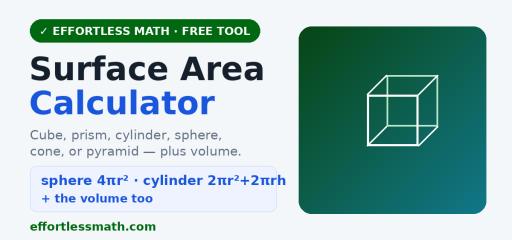
Use this free surface area calculator to find the surface area of common solids, cube, rectangular prism, cylinder, sphere, cone, and square pyramid, with the formula used, the volume, and steps.
Surface Area of Three-Dimensional Objects: what to notice and how to work it
What to notice first
Common student mistake
Key formulas and cues
A reliable path
- Label the diagramWrite each given measurement on the figure.
- Choose the formulaMatch the formula to distance, midpoint, area, volume, or angle relationships.
- Check unitsUse linear, square, or cubic units as appropriate.
Worked examples
Rectangular prism
- Use \(2lw+2lh+2wh\).
- Compute 2(5)(3)+2(5)(2)+2(3)(2).
- Add the face areas.
Cylinder setup
- Two circular bases give \(2\pi r^2\).
- The curved side gives \(2\pi rh\).
- Add both parts.
Try one before moving on
Surface Area of Three-Dimensional Objects: pop-up practice
How to use it
- Pick the solid.
- Enter its dimensions.
- Press Find surface area.
Some formulas
Sphere: 4πr². Cylinder: 2πr² + 2πrh. Cone: πr² + πrℓ (slant ℓ). The tool also reports the volume.
Related: the Volume Calculator and more free math calculators.
Frequently asked questions
What is the formula for calculating surface area?
The formula depends on the solid. A rectangular prism uses SA = 2lw + 2lh + 2wh, a cube uses 6s², a cylinder uses 2πr² + 2πrh, and a sphere uses 4πr². Each one adds up the area of every outside surface. For a cube with side 3, SA = 6 × 9 = 54 square units.
How do you find surface area with a calculator?
Pick the solid, such as a cylinder or cone, enter the measurements it asks for, and press calculate. The tool shows the formula it used, the surface area, and the volume. Make sure every input uses the same unit. For a cylinder with radius 4 and height 9, the result should be 104π, about 326.73 square units.
Is surface area length × width × height?
No. Length × width × height gives the volume of a rectangular prism, measured in cubic units. Surface area adds the areas of the six faces instead: 2lw + 2lh + 2wh. For a 2 by 3 by 4 box, the volume is 24 cubic units, but the surface area is 2(6) + 2(8) + 2(12) = 52 square units.
Is surface area in square inches?
Yes, when the measurements are in inches. Surface area is always given in square units, such as in², ft², cm² or m², because it measures flat area spread over the outside of a solid. If each edge of a cube is 5 inches, the surface area is 6 × 25 = 150 in². Volume, by contrast, uses cubic units like in³.
How do you calculate the surface area of a sphere?
Use SA = 4πr², where r is the radius. For a sphere with radius 3 cm, SA = 4 × π × 9 = 36π ≈ 113.10 cm². If you are given the diameter, halve it first. A sphere has no flat faces, so unlike a prism you cannot add up face areas and must rely on the formula.
How do you find the surface area of a cone?
Add the circular base and the curved side: SA = πr² + πrl, where l is the slant height. If you only know the vertical height h, find l = √(r² + h²) first. For r = 3 and h = 4, l = 5, so SA = 9π + 15π = 24π ≈ 75.40 square units.
How to use the Surface Area Calculator for homework
The Surface Area Calculator is most useful when you treat it as a learning check, not just a shortcut to the final answer. Start by copying the original problem carefully, including signs, exponents, decimal points, fractions, parentheses, and units. Then enter the values in the same order the problem gives them. A small typing change can completely change the result, especially in algebra, statistics, geometry, and probability problems.
Before you press the button to calculate, make a quick estimate or prediction. The estimate does not need to be exact. Its job is to help you notice impossible answers. If a distance becomes negative, a probability is bigger than 1, an angle looks too large, or a decimal point seems misplaced, go back and check the input before trusting the final result.
Before you enter the problem
- Rewrite the problem in a clean line so every value is easy to see.
- Use parentheses around grouped expressions, especially in fractions and exponents.
- Keep units with the numbers while you work, even if the calculator only asks for the numbers.
- Check whether the problem wants an exact value, a decimal approximation, or a rounded answer.
- Look for restrictions such as positive values only, a chosen interval, or a required domain.
How to read the result
After the calculator gives a result, read more than the final line. If steps, tables, graphs, or intermediate values are shown, use them to understand how the answer was built. That is especially important when you are studying for a quiz or test, because teachers often give more credit for a correct process than for an unsupported number.
Try to identify the main idea behind the result. For example, ask yourself which formula was used, which operation changed the expression, which value controlled the graph, or which assumption made the answer possible. When you can explain that idea in your own words, the tool has helped you learn the skill instead of only checking one problem.
Common mistakes to avoid
| Mistake | How to catch it |
|---|---|
| Typing the wrong sign | Compare each negative sign, subtraction symbol, and exponent with the original problem. |
| Rounding too early | Keep extra decimal places until the final step, then round only as directed. |
| Forgetting parentheses | Group numerators, denominators, powers, and multi-step expressions before calculating. |
| Ignoring units | Write the unit next to the final answer so the result has meaning. |
| Trusting an unreasonable result | Use estimation, a graph, or substitution to check whether the answer makes sense. |
Turn the answer into practice
One good way to study is to solve the problem by hand first, then use the Surface Area Calculator to check your work. If your answer is wrong, do not erase everything immediately. Find the first line where your work stops matching the calculator’s logic. That line is usually where the real misunderstanding happened.
- Work the problem on paper and circle your final answer.
- Use the calculator to check the result.
- If the answers match, write one sentence explaining the method.
- If they do not match, compare each step until you find the first difference.
- Redo a similar problem without the tool to make sure the correction sticks.
When to use a calculator and when to work by hand
Use the Surface Area Calculator when you want to check a long calculation, explore a pattern, test a graph, or confirm a result after practicing. Work by hand when the assignment asks for steps, when you are learning a new method, or when the test will not allow a digital tool. The strongest students use both: hand work to build understanding and calculators to check accuracy.
If you are preparing for a timed test, practice some problems without the tool and some with it. That balance helps you build speed while still understanding the math. Over time, the goal is to need the calculator less often for routine steps and use it more strategically for checking, exploring, and confirming your reasoning.
Quick accuracy checklist
Before you leave the page, use the Surface Area Calculator result to answer three quick questions: What was the input? What rule, formula, or method connects the input to the result? What would change if one number in the problem changed? These questions turn a single calculator answer into a reusable math skill.
For homework, write the original problem, the calculator’s result, and one short explanation of the method in your notebook. For test review, cover the result and try to reproduce the setup on your own. If you can set up a similar problem without looking back at the calculator, you are much closer to owning the skill.

Related to This Article
More math articles
- Top 10 3rd Grade STAAR Math Practice Questions
- Federalist No. 70 and executive power
- How to Complete a Table and Graph a Two-Variable Equation?
- The Best Grade 7 ELA Practice Tests for Arizona Students
- ASVAB Arithmetic and Mathematics Preview
- Compare the Temperatures Above and Below Zero
- Unit Circle Calculator (Free Exact Values for Any Angle)
- Carnegie, Rockefeller, Morgan, and Business Consolidation
- The Best Algebra 1 Book for Wisconsin Students
- Contemporary Public Policy
What people say about "Surface Area Calculator for 3D Solids"?
No one replied yet.