Best AI Math Solver for Students: Why StudyX Should Be Your Go-To Study Buddy

Let’s be real—sometimes math can feel like a never-ending puzzle. One minute you’re fine with algebra, the next you’re stuck on a calculus problem that takes hours. You might try Googling for answers, but half the time the explanations don’t make sense. Asking your teacher could help, but you can’t always get an answer right away. Hiring a tutor? That gets expensive fast. And asking friends isn’t always an option if they’re stuck too. That’s exactly why I would love to introduce you with a smart tool called StudyX AI Math Solver.

So, what is StudyX AI Math Solver? For additional educational resources,.
StudyX is a comprehensive learning platform built to be students’ everyday study partner. Loved by over 15 million students worldwide, it’s quickly become a go-to study buddy for homework, note-taking, test prep, and various study support. StudyX covers all subjects and offers a full study toolkit, but one of its most popular tools is the AI Math Solver. For additional educational resources,.

How StudyX Math Solver Works
Based on my experience, using StudyX is super easy:
· Got a math problem? Type in.
· Don’t feel like typing? Upload an image or PDF, paste a screenshot, or just snap a photo of your question.
· Working on advanced equations? Use the formula input tool.
Within seconds, you’ll see a clean, step-by-step solution. No messy explanations, no skipping steps.
And if the first answer doesn’t fully help, you can switch to StudyX’s advanced Super AI mode for a better explanation.
If you still feel unsure, just ask Sai—your smart AI study buddy— to chat it out, let Sai explain the concept, provide simpler solutions, or show you some common mistakes.
To really lock it in, you can also explore similar questions from StudyX’s 85+ million question bank. Practice and check the solutions, so you can be sure that you fully understand.
Key Features Students Love About StudyX AI Math Solver
Step-by-Step Solutions
Getting just the final answer doesn’t always help. What makes StudyX valuable is the clear, step-by-step explanation that shows exactly how the problem is solved. It turns a confusing question into something that actually makes sense.
Photo Math Solver
Typing out long fractions, exponents, or square roots can be frustrating. With StudyX, a quick photo upload is enough—the photo solver recognizes the problem and provides a solution right away. You can also paste a screenshot, snap a picture of handwritten questions or upload a PDF of your math test. The smart math photo solver recognizes them all.
Covers Every Math Subject
One of the best things about this math AI is that it isn’t limited to just one grade level. It can grow with you as they move from basic concepts to advanced topics.
- Pre-Algebra & Algebra
- Geometry
- Trigonometry
- Calculus
- Statistics
- Linear Algebra
- Differential Equations
And that’s not all—the math solver also handles word problems, complex fractions, and mixed-topic questions that often show up on your homework or exams. Whether you’re reviewing fractions in middle school, preparing for the AP test, or working through college-level calculus, the solver has the range to help.
Personalized Learning Support
The math tool doesn’t just stop at one answer. It can recommend similar questions, videos, and extra resources. It can also generate math quizzes related to your problems, so you can practice further and make sure the concept really sticks.
Study Space & Review
Every problem solved with StudyX is saved automatically, so it’s easy to go back later, review tricky steps, or get ready for exams without starting from scratch. All of your questions are stored in a personal study space that syncs across devices—phone, tablet, or laptop—so you can check your history and track progress anytime, anywhere.
Why StudyX Stands Out from Other Math Apps
There are a lot of math solvers out there—Photomath, WolframAlpha, Gauth, even ChatGPT—but here’s why you might want to save a spot on your phone or laptop for StudyX:
- Accuracy you can trust: Solves problems with over 98% accuracy, so you can trust the quality of the solutions.
- Fast and simple: No long waits, no confusing explanations—just clear solutions in seconds.
- Teaches, not just tells: Unlike a math calculator that spits out numbers, StudyX breaks down the process so you actually understand the “why.”
- Easy to start: You can try StudyX’s math AI online for free without downloading an app or creating an account.
- More than just a math solver: StudyX also includes tools like an AI Homework Helper for all subjects, Note Taker, Flashcard Maker, and Quiz Generator. It’s designed to be an all-in-one study partner that helps you keep up with daily homework, prepare for tests, and study smarter.
Final Thoughts
Math doesn’t have to feel like an endless struggle. With clear step-by-step solutions and smart practice tools, StudyX AI Math Solver makes it easier for you to learn, review, practice, and actually understand tough problems. Whether you’re cramming for a test, finishing homework late at night, or just trying to keep up in class, it can be the study buddy that helps you stay on track.
If you’ve ever wished for a little extra support when math gets confusing, give StudyX Math Solver a try—you might find it’s the tool that makes math finally click.
Frequently Asked Questions
How do you add and subtract mixed fractions?
Adding and subtracting mixed fractions can seem tricky at first, but with a systematic approach, it becomes easier. First, convert each mixed fraction into an improper fraction, where the numerator is greater than the denominator. You can do this by multiplying the whole number by the denominator and then adding the numerator. Once all fractions are improper, find a common denominator for them, adjust the numerators accordingly, and then add or subtract the numerators. Remember, tools like the StudyX AI Math Solver can be very helpful in walking you through these steps interactively, ensuring you understand each part of the process thoroughly.
What is a quantitative formula?
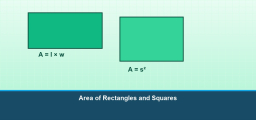
A quantitative formula is a mathematical expression that quantitatively describes a relationship between variables using numbers and operational symbols. For example, the formula for calculating the area of a rectangle, \( A = l \times w \) (where \( A \) is the area, \( l \) is the length, and \( w \) is the width), is a common quantitative formula. These formulas are essential in solving various mathematical problems and can be particularly helpful when preparing for exams or using tools like the StudyX AI Math Solver. Understanding how to apply these formulas correctly can significantly enhance a student’s ability to tackle math challenges efficiently.
How do I add two angles?
Adding two angles involves a simple arithmetic operation. To perform this, you simply add the measures of both angles together. For instance, if you have an angle measuring 30 degrees and another measuring 45 degrees, their sum would be 75 degrees. Tools like the StudyX AI Math Solver can be incredibly helpful for checking your work or providing step-by-step solutions if you’re stuck. This ensures that you not only get the correct answers but also understand the process behind the calculation.

Related to This Article
More math articles
- Fraction Wizardry: How to Multiply Fractions and Whole Numbers
- SAT And ACT Tests Hacks and Tips
- The Ultimate 4th Grade STAAR Math Course (+FREE Worksheets)
- A Comprehensive Collection of Free TSI Math Practice Tests
- How Hard Is the ALEKS Math Test?
- p-Series in Infinite Sums: Convergence Test Simplified
- 10 Most Common TExES Core Math Questions
- Rounding Numbers for 5th Grade: Nearest Ten, Hundred, and Thousand
- 3rd Grade MEAP Math Practice Test Questions
- How to Solve Multi-step Word Problems of Money





















What people say about "Best AI Math Solver for Students: Why StudyX Should Be Your Go-To Study Buddy - Effortless Math: We Help Students Learn to LOVE Mathematics"?
No one replied yet.