Website Speed: How to Build Better Word Games
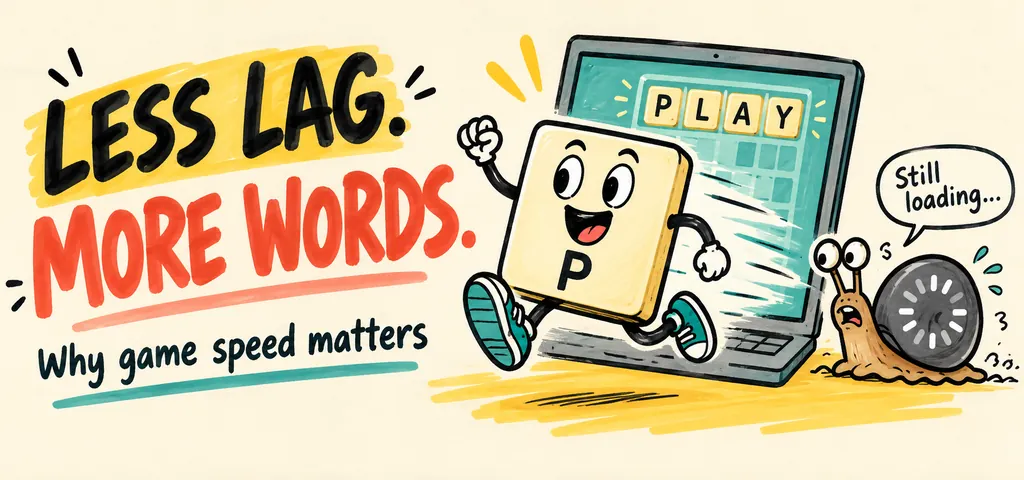
Website speed affects how soon players can open a word game and start solving. It also affects the wait after they enter letters, request a hint, or submit an answer. A quick opening screen helps, but the game must stay responsive during each round. Good performance lets players focus on words instead of waiting for controls.
This guide explains which delays matter, what to improve first, and how to check the result. Start with the puzzle itself: can a player read the rules, enter an answer, and see clear feedback? Then test the same steps on a phone and a slower connection. Speed supports a good game, but clear instructions and accessible controls matter too.
Why Website Speed Matters for Online Word Games
Website speed matters for online word games because players need prompt access to game content, controls, puzzles, and feedback. Word games depend on repeated interaction, including entering letters, submitting answers, checking results, moving between rounds, and opening supporting features. Anagrams involve rearranging letters to form words, making quick access to the puzzle interface important during repeated solving activities.
Fast pages reduce interruptions before gameplay begins. Faster responses help preserve concentration during timed puzzles and repeated rounds. Slow pages introduce waiting periods between player actions and game feedback. Consistent performance supports easier access, smoother interaction, and greater continuity throughout an online word-game session.
How does website loading speed affect the first experience of a word game?
Website loading speed affects the first experience by determining how quickly players see the game interface, instructions, puzzle area, and interactive controls. Fast initial loading gives players earlier access to the primary activity. Delayed loading creates a waiting period before players understand the game structure or begin solving a puzzle. Web performance also includes how quickly a page becomes interactive and responsive after content starts appearing.
A fast opening sequence creates a direct path from page access to gameplay. Players identify navigation options, letter fields, answer buttons, scores, and other controls with less interruption. Progressive loading also helps essential content appear before secondary resources finish loading. Initial performance therefore shapes the first impression of usability and responsiveness. Strong Loading Speed supports a more immediate first interaction with an online word game.
How does site load time affect player engagement?
Site load time affects player engagement by influencing how quickly players enter a game, begin another round, access results, and continue interacting with available features. Shorter loading periods keep transitions between activities brief. Longer delays interrupt the sequence between solving, submitting, receiving feedback, and starting again. Repeated delays become more noticeable when players perform the same actions across multiple rounds. Web performance also includes responsiveness after loading, with Google identifying interaction responsiveness as a core part of page experience.
Fast loading supports continuity because players spend more of the session interacting with the puzzle rather than waiting for page elements. Quick transitions also help maintain attention when players move between letter challenges, answer fields, results, hints, and new rounds. Google Analytics defines engagement through active time spent with a webpage in focus, making continued interaction an important part of measuring player engagement. Site load time therefore forms an important part of the broader engagement experience for online word games.
Does slow loading affect the usability of online word games?
Yes, slow loading affects usability by delaying access to controls, puzzles, instructions, results, and supporting features. Players need responsive interfaces when entering letters, selecting answers, opening hints, or moving between rounds. Delays make routine actions feel disconnected from the player’s input. Slow loading also creates uncertainty when a page appears inactive while content continues loading. Mobile users face additional friction when network conditions fluctuate or device resources are limited. A usable word game therefore requires both understandable controls and responsive page behavior. Fast loading supports easier navigation, quicker interaction, and more continuous gameplay.
What aspects of the user experience are affected by website speed?
Website speed influences several areas of the user experience in online word games. Each area affects how easily players access, understand, and interact with the game.
Website speed affects the following parts of the player experience.
- Accessibility: Faster loading gives players earlier access to essential game content, instructions, controls, and navigation elements.
- Responsiveness: Quick responses help players enter letters, submit answers, select options, and start new rounds with less interruption.
- Engagement: Shorter waiting periods keep attention focused on solving puzzles rather than waiting for content.
- Navigation: Faster page transitions help players move between game sections, instructions, results, and supporting tools.
- Satisfaction: Consistent performance creates a smoother interaction from initial page access through repeated gameplay.
- Continuity: Stable loading supports uninterrupted movement between puzzle rounds, answer checks, scores, and new challenges.
What player behaviors can be influenced by page speed?
Page speed influences how players interact with online word games during initial access and repeated sessions.
Watch how players respond at these points in a session.
- Starting games: Faster access lets players reach the first puzzle sooner.
- Continuing sessions: Consistent loading supports longer uninterrupted gameplay sessions.
- Changing rounds: Quick transitions make repeated rounds easier to start.
- Checking answers: Responsive result pages support immediate feedback after submissions.
- Exploring features: Players have easier access to hints, dictionaries, settings, instructions, and related puzzles.
- Returning to the site: Reliable performance supports a smoother experience during later visits.
- Abandoning pages: Extended waiting periods create greater friction before gameplay begins.
What makes responsiveness important when using an anagram solver?
Responsiveness matters when using an anagram solver because players expect letters, filters, searches, and results to react promptly to each input. Anagram activities often involve repeated searches where users enter a letter set, review results, adjust constraints, then perform another search. Delayed responses interrupt that sequence and create unnecessary pauses during word exploration. Fast interaction supports quicker comparison of possible words and smoother movement between searches. Responsiveness also matters during timed word activities where delayed results interfere with the intended pace. A responsive interface keeps attention focused on solving rather than waiting for controls or results. Strong performance therefore improves the practical experience of using an Anagram Solver.
How can website speed affect mobile word-game users?
Website speed affects mobile word-game users through loading delays, network conditions, screen interactions, and device performance. Mobile players frequently access browser games through wireless networks with varying connection quality. Larger page resources require more data before the game becomes fully usable. Slow loading becomes more noticeable when players access puzzles during short sessions or while moving between locations. Responsive controls also matter because mobile users interact through touch rather than a mouse and keyboard. Efficient pages reduce unnecessary waiting before letter entry, answer submission, and navigation. Mobile optimization therefore requires attention to both initial loading and ongoing interaction performance.
How can website speed be improved for online word games?
Website speed improves when developers reduce unnecessary resources, optimize game assets, streamline scripts, use effective caching, and remove elements that delay meaningful interaction. The highest-impact improvements focus on the resources required before players reach the first puzzle.
Website speed can be improved for online word games by following the eight steps below.
- Measure current performance. Establish baseline loading and responsiveness data before changing page resources.
- Optimize images. Compress images and use appropriate dimensions so visual assets require less data.
- Reduce scripts. Remove unnecessary JavaScript and defer nonessential scripts that do not support immediate gameplay.
- Minimize page resources. Remove unnecessary fonts, widgets, animations, embeds, and decorative elements that increase loading work.
- Use caching. Store reusable resources locally through suitable caching strategies to reduce repeated downloads.
- Optimize game assets. Compress puzzle graphics, interface resources, and other assets without reducing necessary quality.
- Prioritize essential content. Load the game interface and primary controls before secondary features.
- Review third-party resources. Limit external scripts and services that add additional requests or processing requirements.
- Test mobile performance. Evaluate loading and interaction on mobile devices across different network conditions.
A focused optimization process prioritizes the game interface, puzzle content, controls, scripts, images, and resources that directly affect player access and interaction.
How should site load time be measured before optimizing a word-game website?
Site load time should be measured before optimization to establish a reliable performance baseline for the word-game website. Measurement should cover initial loading, visual rendering, interactive readiness, and response times for important game actions. Developers should test the main game page across desktop and mobile devices, different connection conditions, and multiple sessions.
Site load time should be measured before optimizing a word-game website by following the nine steps below.
- Select the main game page. Measure the page where players first access the word puzzle. Prioritize pages that receive the highest player traffic.
- Measure initial loading. Record how quickly essential content, including the puzzle interface, instructions, buttons, and letter fields, becomes visible.
- Measure interactivity. Record when players can interact with essential controls rather than measuring visual loading alone.
- Test repeated sessions. Run several tests because one measurement does not represent typical performance conditions.
- Test mobile devices. Measure performance on smartphones because network conditions and device resources differ from desktop environments.
- Compare connection types. Test different network conditions to identify performance problems that appear outside fast connections.
- Record game actions. Measure response times for letter entry, answer submission, result display, new-round loading, and navigation.
- Establish a baseline. Record the results before optimization so later measurements show whether changes improve performance.
- Prioritize delays. Identify the resources and interactions responsible for the longest delays before beginning optimization.
How can unnecessary page elements slow down online word games?
Unnecessary page elements slow down online word games by adding extra files, network requests, scripts, images, fonts, and browser processing before essential game content becomes fully usable. A lightweight game page prioritizes the puzzle interface, letter fields, controls, instructions, and results. Removing nonessential resources reduces the amount of work required before players start interacting with the game.
Unnecessary page elements can slow down online word games by following the ten steps below.
- Remove decorative elements. Remove visual elements that do not contribute to gameplay, navigation, readability, or accessibility.
- Limit third-party scripts. Reduce external scripts that add requests or processing without supporting essential game functions.
- Reduce large images. Compress oversized images and remove graphics that provide little value to the player experience.
- Remove unused fonts. Limit font files and font variations that are not required for the game interface.
- Reduce embedded content. Remove unnecessary videos, widgets, social feeds, and external content from the primary game page.
- Limit animations. Reduce animations that require additional browser processing without improving gameplay.
- Remove unused code. Eliminate scripts and stylesheets that support features no longer used by the word game.
- Prioritize essential content. Load the puzzle interface, letter inputs, answer controls, and results before secondary page elements.
- Review page requests. Identify resources creating excessive network requests, then remove or combine unnecessary resources where appropriate.
- Test after removal. Measure loading and responsiveness again after removing elements to confirm that page performance improves.
How can game assets and scripts be optimized for faster loading?
Game assets and scripts should be optimized by reducing file sizes, limiting unnecessary resources, and loading essential gameplay components before secondary features. Word games typically require lightweight assets because the core experience relies on letter inputs, puzzle data, buttons, text, and result displays. Efficient asset delivery reduces the amount of data transferred before players interact with the game.
Game assets and scripts can be optimized for faster loading by following the ten steps below.
- Compress game assets. Reduce the file size of images, audio, fonts, and other resources without sacrificing necessary quality.
- Use appropriate formats. Select efficient file formats for images and other assets based on their purpose and required quality.
- Minimize scripts. Remove unnecessary JavaScript code and reduce script file sizes before deployment.
- Load essential scripts first. Prioritize scripts required for the puzzle interface, letter input, answer submission, and core gameplay.
- Defer secondary scripts. Delay nonessential scripts until the primary game interface becomes usable.
- Remove unused code. Eliminate functions, libraries, styles, and dependencies that no longer support the game.
- Split large scripts. Divide large JavaScript files into smaller modules, so players receive only resources required for the current game experience.
- Optimize puzzle data. Keep word lists, dictionaries, and game data efficiently structured to reduce unnecessary data transfers.
- Use browser caching. Cache reusable assets so returning players do not repeatedly download unchanged files.
- Test asset performance. Measure loading and interaction times after optimization to identify remaining resources that create delays.
Efficient compression, script reduction, prioritized loading, caching, and streamlined game data provide the strongest foundation for faster word-game performance.
How can a faster website improve the experience of playing Unscramble word games?
A faster website improves Unscramble word games by reducing delays between page access, letter entry, answer submission, result display, and new-round selection. Players reach the puzzle sooner after opening the page. Faster controls create a smoother sequence when entering letters or selecting answers. Quick result displays reduce interruptions after each attempt. Efficient transitions also support repeated rounds without unnecessary waiting. Reduced friction helps players maintain attention on vocabulary, spelling, letter patterns, and solving strategies. Faster mobile performance provides additional benefits for players using touchscreens or variable network connections.
Faster performance also improves continuity when players complete several puzzles during one session. Quick page responses help players move between letter challenges, results, filters, hints, and new puzzles without unnecessary pauses. Responsive interactions support timed activities where delays disrupt the intended pace of solving. Efficient loading also reduces the amount of time players spend waiting for game resources to appear. Better continuity gives players more time to focus on identifying words and evaluating letter combinations. Faster performance therefore strengthens the experience of playing Unscramble Words.
What benefits can faster loading provide for players?
Faster loading provides direct benefits by reducing waiting periods and helping players reach the main word-game experience sooner. Players spend more time solving puzzles and less time waiting for pages, controls, results, or new rounds to appear.
The benefits that faster loading can provide for players are listed below.
- Quicker access: Players reach the puzzle interface sooner after opening the page.
- Reduced waiting: Shorter loading periods reduce interruptions before gameplay and between activities.
- Smoother interaction: Responsive controls support quicker letter entry, submissions, selections, and navigation.
- Better continuity: Players move between rounds without prolonged transition periods.
- Improved mobile access: Efficient pages reduce unnecessary loading work on mobile devices and variable connections.
- Greater concentration: Players spend less time waiting and more time focused on solving the puzzle.
- Easier navigation: Game sections, instructions, results, and supporting features become easier to access.
- Higher satisfaction: Consistent performance supports a more comfortable experience throughout repeated gameplay.
How does faster loading support a smoother word game session?
Faster loading supports a smoother word game session by reducing interruptions between each stage of gameplay. Players move from opening the page to reading instructions, entering letters, submitting answers, viewing results, and starting another round with fewer delays. Quick responses help preserve concentration during timed activities. Faster navigation also reduces friction when players move between puzzles, settings, hints, and supporting resources. A consistent interface gives players clearer feedback after each action. Word games depend on repeated interaction, so small delays become more noticeable across multiple rounds. A faster session therefore keeps attention centered on solving, while a responsive Word Solver supports quick movement between letter challenges and possible answers.
How should website speed be evaluated as part of online word-game quality?
Website speed should be evaluated alongside other UX factors because fast loading alone does not determine the quality of an online word game.
Website speed evaluation is shown in the table below.
| UX Factor | What It Affects | Relationship to Website Speed | Player Impact |
| Loading Performance | Initial access to game content | Faster loading reduces waiting before gameplay | Quicker access |
| Responsiveness | Inputs, controls, submissions, and results | Efficient performance supports faster interaction | Smoother gameplay |
| Navigation | Movement between game areas | Fast page transitions reduce interruptions | Easier exploration |
| Readability | Instructions, letters, clues, and results | Efficient rendering helps content appear promptly | Clearer interaction |
| Accessibility | Access to essential game content and controls | Faster delivery reduces delays before usable content appears | Easier access |
| Usability | Overall interaction with the game | Speed supports the effectiveness of otherwise clear controls | Lower friction |
| Player Satisfaction | Perception of the complete game experience | Consistent speed supports a smoother experience | Greater comfort |
Website speed therefore works as one component of online word-game quality rather than a standalone measure.
Which website speed factors should be prioritized for online word games?
Online word games should prioritize speed factors that directly affect the path from page access to active gameplay. The main priorities are listed below.
- Initial loading: Prioritize the time required for the main game interface and puzzle content to become available.
- Interactive readiness: Ensure primary controls respond quickly after the page becomes visible.
- Game assets: Optimize images, scripts, fonts, and other files required for the core experience.
- Mobile performance: Test pages across mobile devices and different network conditions.
- Repeated transitions: Review loading behavior when players start new rounds, check answers, or open game features.
- Caching: Use suitable caching methods for resources that players repeatedly access.
- Third-party requests: Reduce external resources that delay essential game content.
- Page complexity: Remove unnecessary elements that add processing or network work without improving gameplay.
What is the relationship between page speed and player satisfaction?
Page speed directly influences player satisfaction because loading performance shapes how easily players access and interact with an online word game. Fast pages reduce waiting before gameplay begins. Responsive interfaces reduce delays when players enter letters, submit answers, view results, or start new rounds. Consistent performance also helps maintain concentration throughout longer sessions. Slow pages create friction when players repeatedly encounter loading delays during common gameplay actions. Frequent interruptions make the experience less convenient and less predictable.
Player satisfaction also depends on readability, accessibility, navigation, controls, game quality, and overall usability. Fast loading supports these elements by allowing essential content and interactive features to become available without unnecessary delays. Mobile players benefit from efficient performance when network conditions fluctuate or device resources are limited. Reliable page speed therefore supports smoother gameplay, easier interaction, stronger engagement, and a more satisfying online word-game experience.
How to Check Website Speed During a Game
Test the whole journey, not just the home page. Open a puzzle on your phone, enter letters, ask for a hint, and submit an answer. Then start another round. Note any blank screens, delayed inputs, or buttons that move while you try to tap them.
Google’s Core Web Vitals guidance separates loading, interaction response, and visual stability. These checks help explain why a page can appear quickly yet still feel slow to use. Compare mobile and desktop results, and use real-user measurements alongside a lab test when available.
You can apply the same review to learning activities. When exploring our math practice resources, check how clearly the activity explains its controls and gives feedback. Fast delivery helps people reach the task; it does not replace readable content, keyboard access, or useful instructions.

Related to This Article
More math articles
- Pre-Algebra Formulas
- How to Construct and Interpret Scale Drawing? (+FREE Worksheet!)
- Algebra 2 Worksheets: FREE & Printable
- Best Note-Taking Tablet for College Students
- How to Verify Inverse Functions by Composition?
- Migration, Remittances, and Global Care Chains
- The Best Grade 4 Math Book for Massachusetts Students
- Rocks and the Rock Cycle
- Free Grade 5 Math PDFs for Iowa ISASP: 49 Single-Skill Worksheets with Step-by-Step Keys
- Affirmative action



What people say about "Website Speed: How to Build Better Word Games"?
No one replied yet.