YOUR ALEKS STUDY COMPANION
How to Get Out of a Knowledge Check on ALEKS
The ALEKS is a web-based application that uses artificial intelligence to chart your weaknesses and strengths. The Placement Assessment is up to 30 questions and takes 60-90 minutes to complete. ALEKS is not a multiple-choice placement evaluation. The answer…
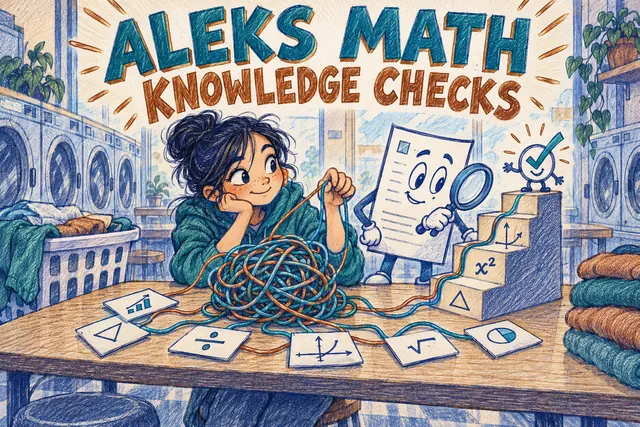
You can’t skip or exit an ALEKS Knowledge Check, because ALEKS uses it to update which topics you have mastered. You can log out in the middle and pick up where you left off later. The fastest way through is to answer honestly and do your best on each question; guessing tends to remove topics from your pie, which means more work afterward.
ALEKS (Assessment and LEarning in Knowledge Spaces) is McGraw Hill’s adaptive math system. Every so often it interrupts your learning with a Knowledge Check to confirm you still remember what you learned. Here is when Knowledge Checks happen, what they do to your pie, whether you can skip or pause one, and how to get through them with the least extra work.
What is an ALEKS Knowledge Check?
A Knowledge Check is a short reassessment inside an ALEKS course. It asks open-response questions (you work on paper and type the answer, not pick from choices) on topics you have recently learned. ALEKS uses the results to update which topics are mastered, learned or still remaining.
When does ALEKS give a Knowledge Check?
According to McGraw Hill, ALEKS reassesses you periodically to confirm you retained recent topics. The usual triggers are:
- after you learn 20 topics and spend 5 hours working in Learning Mode,
- after 10 hours in Learning Mode,
- after 60 days without a Knowledge Check,
- sometimes after a module’s due date, or whenever your instructor schedules one.
The hours count active work in ALEKS, not time with the window open. A Knowledge Check icon appears ahead of time, so it shouldn’t surprise you mid-session.
Can you skip or get out of a Knowledge Check?
No, you can’t skip it. Once a Knowledge Check starts, you have to finish it before ALEKS lets you continue learning. What you can do:
- Pause it: log out in the middle; when you log back in, the check continues where you left off.
- Plan for it: when you see the Knowledge Check icon, start the check at a time when you can focus.
- Ask your instructor: only instructors can change or schedule Knowledge Checks for your class.
There is no legitimate way to bypass a Knowledge Check, and trying to game it (guessing, outside help) usually backfires: ALEKS keeps checking, and topics you can’t actually do come back.
What happens after a Knowledge Check?
- Topics you showed you know stay mastered, and ALEKS may even award new topics you clearly already know.
- Topics you missed move back to your learning path. Your pie can shrink. That is normal: those topics are flagged for review, not lost forever.
- Relearning is faster. McGraw Hill notes that relearning a topic takes a shorter cycle than learning it the first time. Use the Needs More Practice filter in Learning Mode to find them.
How to get through a Knowledge Check faster (and keep your pie)
- Review before the check. When the icon appears, spend 15-20 minutes redoing recent topics; ALEKS’s Review option is not available during the check itself.
- Work every problem on paper. Answers are open-response, so careless arithmetic costs topics.
- Give your best answer. Use I Don’t Know only when you truly can’t start a problem; McGraw Hill recommends using it sparingly.
- Check the format. Many misses are entry errors: simplified fractions, signs, parentheses and units.
- Relearn missed topics right away, while the explanation is fresh.
Knowledge Check vs. the ALEKS Placement Assessment
The ALEKS PPL placement assessment is a separate test (up to 30 questions) that colleges use to place you into a math course. A Knowledge Check happens inside a course you are already taking and only updates your progress. If you are preparing for the placement test, see our step-by-step ALEKS prep guide and free ALEKS practice test.
The Absolute Best Book to Ace the ALEKS Math Test
Frequently Asked Questions
Can you skip an ALEKS Knowledge Check?
No. When ALEKS starts a Knowledge Check you have to complete it before you can return to learning. You can log out in the middle and continue where you left off later.
When does ALEKS give a Knowledge Check?
ALEKS reassesses you periodically: after you learn 20 topics and spend 5 hours of active work in Learning Mode, after 10 hours in Learning Mode, after 60 days without one, and sometimes after a module due date. Instructors can also schedule them.
Why did my ALEKS pie go down after a Knowledge Check?
Topics you learned but did not show you still know are moved back to your learning path. Your pie shrinks for those topics, but relearning them is shorter than the first time, and you can find them with the Needs More Practice filter.
Should I click I don’t know on ALEKS?
Only when you truly don’t know how to start a problem. McGraw Hill advises students to give their best answer and use I Don’t Know sparingly, because it can mark a learned topic as not retained.
The Best Books to Ace the ALEKS Math Test
Have any questions about the ALEKS Test?
Write your questions about the ALEKS or any other topics below and we’ll reply!

Related to This Article
More math articles
- NYSTCE Multi-Subject Math Flashcards
- Work Control: Hold the Work, Control the Hazard
- Basic Probability in Science
- Affordable Online Accounting Degree Programs
- 49 Printable Tennessee TCAP Grade 3 Math Worksheets — Free Download with Step-by-Step Keys
- How to Find Missing Angels in Quadrilateral Shapes? (+FREE Worksheet!)
- ISEE Middle-Level Math Practice Test Questions
- Geometry Puzzle – Challenge 64
- The Best Grade 7 ELA Practice Tests for Alabama Students
- The Ultimate Keystone Algebra 1 Course (+FREE Worksheets)









What people say about "Can You Skip an ALEKS Knowledge Check? What to Know"?
No one replied yet.